
Last Updated on July 30, 2026 by Homegrown Florida
If you had asked me a few years ago when I start planning my fall garden, I probably would have said sometime in September. Now? I start in July.
I know that sounds completely backwards.
Most of the country is still harvesting tomatoes and trying to keep their gardens alive through the summer, while Florida gardeners are already thinking about fall. But our best vegetable gardening season is just around the corner, and if you wait until the weather finally cools down, you’re already behind.
Some vegetables need to be started in late July or early August. Others, like garlic and strawberries, need to be ordered months before they’re ever planted. By the time fall arrives, many of the best varieties have already sold out.
Planning ahead doesn’t have to be complicated, though.
Even with a medium-sized garden and dozens of vegetables, I can usually map out my entire season in about an hour. If you only have a couple of raised beds, you could probably finish in fifteen or twenty minutes.
This is exactly how I plan every major gardening season, from deciding what deserves space in the garden to preparing the beds before the first transplant ever goes into the ground.
Table of Contents
This post may contain affiliate links. Read full disclosure here.
Step 1: Brainstorm Every Crop Before Making Any Decisions
The first thing I do isn’t decide what I’m planting. I decide what I’m not planting.
I start by making one big list of every vegetable I could potentially grow, then I immediately begin crossing things off.
Some crops get removed because my family simply doesn’t enjoy eating them. Eggplant is one of those vegetables. It grows perfectly well here, but we don’t enjoy it enough to justify giving it valuable garden space.
Other crops come off the list because I’ve learned they perform better during another season.
For example, I love corn, but after growing it in both spring and fall for years, I’ve consistently had better harvests from spring plantings. Rather than fight nature every year, I’ve accepted that spring is simply the better season for my garden.
Melons are another crop I skip in fall. They’re happiest growing into increasing heat, not cooling temperatures. While they’ll survive, I haven’t found the productivity to be worth the space they require.
The same goes for winter squash. If you’re gardening in Central or North Florida, they often don’t have enough time to mature before cold weather becomes an issue. Gardeners farther south, generally around the I-4 corridor and below, can usually grow them more successfully because frost arrives much later.
Tomatillos also stay on my spring-only list. They produce so heavily that a single spring planting carries well into summer, so I rarely feel the need to dedicate space to a second crop in fall.
This first step is incredibly important because every crop you remove creates room for something that matters more.
Step 2: Prioritize Based on What You’ll Actually Use
Once I know what I’m willing to grow, I rank every remaining crop in order of importance. Not by what sounds exciting. Not by what’s trendy. By what my pantry tells me I need.
One of the biggest mistakes gardeners make is growing what sounds fun instead of growing what they’ll actually use. I like trying new varieties just as much as anyone else, but my goal is to feed my family throughout the year.
So every season I take inventory. If my shelves are running low on something, that crop immediately moves higher on my priority list. This year tomatoes claimed the number one spot.
That might surprise some people because I had just finished growing tomatoes, but I didn’t have the harvest I was hoping for—especially my paste tomatoes. I was disappointed with how little salsa I ended up canning, and my pantry shelves reminded me of that every time I walked by.
Instead of experimenting with lots of slicing tomatoes this season, I’m going back to basics.
I’m planning to grow a large number of paste tomatoes, especially my favorite variety, 10 Fingers of Naples, because I simply need volume.
Cucumbers landed in second place for exactly the same reason. I harvested enough for fresh eating, but not enough to make all of the zesty bread-and-butter pickles I wanted. Since my pickle supply is running low, cucumbers moved near the top of the list.
My brassicas, broccoli, cauliflower, cabbage and kohlrabi, came next, followed by peas. I’ve really been enjoying snow peas lately, and because last year’s harvest wasn’t great, my freezer is getting emptier than I’d like.
You’ll probably notice a pattern. Whenever I have a disappointing harvest, that crop climbs higher on next year’s priority list because I know my preserved food supply is shrinking.
Garlic and onions followed close behind because they store well and get used constantly in my kitchen.
Lower on the list were crops like carrots, celery, Brussels sprouts, radishes and beets. Not because they’re bad vegetables. Simply because they aren’t as important to my family’s food supply.
Ranking everything now becomes incredibly helpful later when it’s time to assign garden space. If I run out of room, the lowest priorities are the first things to go.
Step 3: Order Crops That Sell Out Early
One of the biggest reasons I plan in July has nothing to do with planting. It’s because several of my favorite crops have to be ordered months before they ever go into the garden.
Garlic
Garlic is probably the best example.
Most seed garlic is sold as a preorder, and those preorders often begin in June and continue through August. Different companies release theirs at different times, so waiting until fall can leave you with very few choices.
In July, Garlic Gods, Burpee and Epic Gardening already had garlic available for preorder, while Hoss was expected to release theirs in August.
If you’re purchasing garlic, remember that most of these bulbs are not pre-vernalized. That means you’ll need to refrigerate them for at least six weeks before planting. I simply remove any packing material, leave the bulbs in their box, place them in the refrigerator, and set a reminder on my phone so I don’t forget them.
This year I don’t actually have to order any because I saved my largest bulbs from last season to use as seed garlic.
Saving your own seed garlic is one of the easiest ways to reduce gardening costs year after year.
Onion Starts
I also keep an eye on onion starts. While I’m continuing to practice growing onions from seed, I still buy starts every year because they’re inexpensive and incredibly reliable.
Last season I started hundreds of onion seeds but only ended up with around thirty healthy seedlings after the germination stage. That’s improving every year, but starts are still my insurance policy.
I’ve had excellent success with Hoss onion starts, especially the Vidora variety. They remind me of a sweet Vidalia-style onion but have stored noticeably longer for me while also producing impressively large bulbs.
I simply set a reminder on my phone to watch for their release or subscribe to Hoss’s email newsletter so I know when they’re available.
Strawberries
Strawberries are another crop worth planning ahead for. Preorders typically begin in September, with plants shipping in October.
If you find a company shipping strawberries before October, I’d strongly recommend waiting. I tried planting earlier one year, and the heat wiped them out. Since switching to October planting, they’ve performed much better.
I’ve also stopped buying bare-root strawberries. After comparing the cost savings against how many plants I lost, plugs ended up being the better value for my garden. Both Hoss and Ison’s Nursery have provided excellent plants for me.
Hoss offered Camarosa, which I find sweeter, while Ison carried Chandler, which produced larger berries. Both have earned a permanent place in my garden.
Step 4: Choose Your Varieties Before Planting Season
Once I know what I’m growing, the next step is deciding exactly which varieties deserve a spot in the garden.
I don’t wait until planting day to figure this out. Choosing varieties early gives me time to order anything I’m missing before it sells out, and it also lets me organize all of my seeds before the busy part of the season begins.
One of my goals this year was actually not to buy seeds. Like most gardeners, I have accumulated far more seed packets than I could ever use in a single season. I was about 90% successful. The only seeds I ended up purchasing were Oregon Giant snow peas because I realized I didn’t have any left. Since I was already placing an order, I added a few flower seeds to reach the free shipping minimum but I tried very hard not to add more vegetables to my collection.
This is also when I make final decisions on varieties based on everything I’ve learned over the past several seasons.
Instead of listing every variety I’m growing, I’ll share some of the standouts that have consistently earned a permanent place in my garden.
Tomatoes
This fall I’m focusing far less on testing new varieties and much more on rebuilding my pantry.
That means 10 Fingers of Naples will be my primary paste tomato because it has been one of the most productive sauce tomatoes I’ve ever grown.
I’ll also grow a few specialty tomatoes simply because I enjoy them.
For containers, I absolutely love Patio Choice and Tiny Tim. They’re micro-dwarf tomatoes that stay incredibly compact, making them perfect for grow bags that I can easily move or protect during cold weather. My plan is to succession plant these throughout the winter so I always have fresh tomatoes coming in.
I’m also growing Cherokee Carbon because I’ve wanted to compare it to the original Carbon tomato, and I’ll probably squeeze in a Sungold somewhere because…well…it’s Sungold.
Cucumbers
Since cucumbers are one of my highest priorities this season, I’m planting several different varieties.
The one that has never let me down is Boston Pickling.
I’m also growing Corentine, which is a parthenocarpic cucumber. That means it doesn’t require pollination to produce fruit, making it a great option when pollinators are scarce or weather conditions interfere with pollination. Sweet Success is another variety that performs the same way, although it produces larger English-style cucumbers.
Broccoli
For years my favorite broccoli was Arcadia. Unfortunately, it has become almost impossible to find legitimate seed anymore. Every time I’ve tried ordering it from random online sellers, the plants have turned into something completely different.
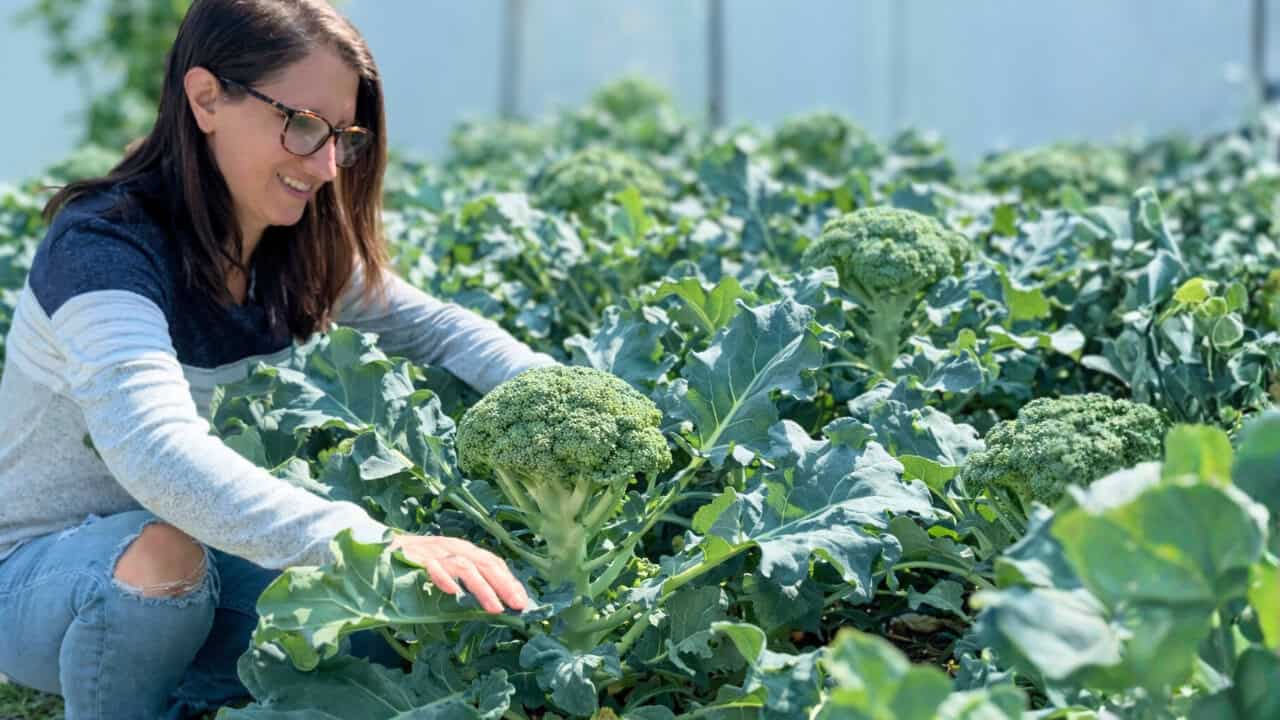
After a lot of testing, Green Magic has become the closest replacement I’ve found. It performs extremely well here in Florida, and Hoss also carries a variety called Godzilla that I’m excited to continue testing.
Kohlrabi
If you’ve struggled with kohlrabi, try Konan. I used to grow Green Vienna, which performs well, but Konan matures noticeably faster. It almost feels like you transplant it, walk away, and suddenly it’s ready to harvest.
Carrots
One thing I’ve learned about carrot seed is that it doesn’t stay viable forever.
If my carrot seed is more than about a year old, I don’t rely on it for planned rows because germination drops dramatically. Instead, I’ll simply broadcast those older seeds throughout the garden. If they sprout, great. If they don’t, I haven’t wasted valuable garden space.
For dependable production, Kuroda remains my favorite orange carrot for Florida. It performs exceptionally well in warm climates. I also love growing Purple Elite and rainbow carrot blends because they add beautiful color to salads.
Lettuce
If there’s one category where I have entirely too many seed packets, it’s lettuce. I absolutely love growing lettuce during the winter.
Some of my favorite varieties include Sierra, Muir, and Johnny’s Salanova mixes, which have consistently lasted well into May before finally bolting. That’s incredibly impressive for Florida. I’m also testing Hoss’s Coastal Star Romaine along with a few compact crisphead varieties in my continuing search for an iceberg-style lettuce that truly performs well here.
Kale
Prism kale has become my favorite kale. Some gardeners don’t care for it because it resembles the decorative kale often used around salad bars, but I love both the flavor and the texture. It earns a place in my garden every single winter.
Step 5: Organize Your Seeds Before the Season Starts
One of the simplest systems I’ve ever created also happens to save me an incredible amount of time.
Instead of constantly digging through multiple seed boxes every time I need one packet, I gather every seed I’m planning to grow that season and place them into a simple basket.
That’s it. The basket sits beside the door I use to walk into the garden. Now, whenever I need to seed broccoli, transplant lettuce, succession sow peas, or grab another packet of carrots, everything is already together.
As crops finish planting for the season, I simply remove those seed packets from the basket until eventually everything goes back into storage.
It’s a tiny organizational trick, but during a busy planting season it saves me from searching through hundreds of seed packets every single week.
Step 6: Build Your Planting Calendar
With my crop list finalized and my seeds organized, it’s finally time to build the planting schedule.

You can absolutely do this with paper. In fact, I created my Homegrown Florida Garden Planner specifically for gardeners who enjoy writing everything out by hand.
Personally, though, I use SeedTime. Twice a year, once before spring and once before fall, I sit down at my computer for about an hour and build my entire season. After that, I rarely touch the computer again.
Everything moves to my phone. SeedTime handles my planting calendar, task list, crop schedule, and garden layout all in one place. Every Wednesday, which is my dedicated gardening day, I simply open the app and complete whatever tasks it gives me that week. Then I check them off and move on.
That system has helped me stay on schedule year after year. Let it do the heavy lifting.
Then fine-tune it using your own experience and your local climate.
Step 7: Design Your Garden Layout Before You Plant
With my planting calendar finished, the next step is deciding exactly where everything will go.

This is where my priority list really starts paying off. Instead of walking into the garden on planting day trying to decide where each crop belongs, I already know which vegetables deserve my best growing spaces.
The crops at the top of my priority list get the prime real estate. The crops at the bottom get whatever space is left. If I completely run out of room, they don’t get planted at all.
That may sound harsh, but it’s actually one of the best lessons I’ve learned over the years. Garden space is limited. Every bed has to earn its keep.
Give Your Best Beds to Your Most Important Crops
My garden isn’t uniform. Some beds receive full sun all day long.
Others transition into partial shade during the winter as the sun angle changes. I even have a few dedicated spaces for containers, GreenStalks, and in-ground plantings.
Because every area receives different amounts of sunlight, I match crops to the locations where they’ll perform best.
Tomatoes, broccoli, cucumbers, onions, garlic, and most of my major food crops all get the full-sun beds first.
My strawberries don’t even factor into this process because they live in my GreenStalk planters instead of my raised beds. Knowing that ahead of time frees up valuable space for vegetables.
Once the major crops are placed, I begin filling in the remaining areas with lower-priority vegetables.
Sometimes the Right Decision Is Not Planting Something
This year my planning process led me to a decision I probably wouldn’t have made if I had waited until planting day.
Brussels sprouts didn’t make the cut.
I love growing them, but they’re already a challenging crop in Central Florida. They also demand full sun to produce well. As I started laying everything out, I realized every one of my premium beds was already occupied by crops that were higher on my priority list.
Could I have squeezed Brussels sprouts into a partially shaded bed?
Probably.
Would they have performed well enough to justify the space?
Probably not.
So instead of forcing them into a location where I already knew they’d struggle, I simply crossed them off the list for this season.
That decision also freed up time and energy for crops that are much more important to my pantry.
Leave Flexible Space
Not every crop needs a permanent address. I intentionally leave my radishes and beets without dedicated planting locations.
They’re both direct-seeded crops that mature quickly, so whenever another vegetable finishes early or a space unexpectedly opens up, I simply scatter radish or beet seeds into that empty spot.
It’s an easy way to maximize production without overcomplicating the garden layout.
Step 8: Let Your Task List Do the Thinking
Once everything is on the calendar and assigned to a bed, my planning is basically finished.

From that point forward, I stop thinking about schedules. Instead, I follow my weekly Seedtime task list. Every Wednesday I open the SeedTime app on my phone, and it tells me exactly what needs to happen that week.
Maybe it’s time to seed broccoli. Maybe it’s transplanting tomatoes. Maybe it’s fertilizing onions or harvesting lettuce.
Whatever needs to happen appears as a task, along with the specific bed where that crop belongs. That means I’m never trying to remember where something gets planted or whether I already fertilized a particular crop.
The planning work is finished before the season begins. Now I simply execute the plan one week at a time. For me, that’s one of the biggest advantages of planning ahead.
Instead of feeling overwhelmed by everything that needs to happen over the next six months, I only have to focus on what needs to happen this week.
Step 9: Prepare Your Beds Before Planting Season Arrives
While I’m waiting for planting dates to arrive, I don’t let my empty beds sit idle.
As soon as one finishes producing, I begin preparing it for fall. The exact amendments I use depend entirely on my soil test results.
I strongly recommend testing your soil before adding anything. I’ve used both the University of Florida testing service and MySoil over the years. While both work, I personally prefer the MySoil test because it’s quick and easy, which means I’m much more likely to actually do it every season.
My most recent soil test showed two deficiencies:
- Nitrogen
- Potassium
So that’s exactly what I added. For potassium, I applied potash.
For nitrogen, I decided to try feather meal instead of my usual blood meal. Blood meal works well, but it’s a fast-release fertilizer. Since I’m preparing these beds weeks before planting, I wanted a slower-release nitrogen source that would still be available when my fall crops begin growing. Feather meal seemed like a better fit for that purpose.
If your soil test shows low phosphorus instead, bone meal would be a more appropriate amendment. The important thing is matching the amendment to your soil’s actual needs instead of guessing.
Plant a Cover Crop
After adding my amendments, I immediately sow a cover crop of sunn hemp.
Sunn hemp is one of my favorite summer cover crops because it germinates incredibly quickly and doesn’t need to grow for months to provide benefits.
I’ll usually let it grow for about four or five weeks before cutting it down and leaving it on the bed as mulch. By the time my vegetables are ready to transplant, the bed already has fresh organic matter protecting the soil.
When I sow it, I actually seed it fairly heavily. It’s okay if the stand ends up thick. While it uses a few more seeds, I’d rather have excellent coverage than bare spots. After broadcasting the seed, I lightly rake it into the soil instead of leaving it sitting on the surface.
Then I water everything thoroughly. Part of that watering is simply to help the seeds germinate.
The other reason is because both feather meal and potash seem to attract my dogs. Watering the amendments into the soil immediately helps reduce their interest before they have a chance to investigate.
Final Fertilizer at Planting Time
When it’s finally time to transplant, I don’t rely solely on the amendments I added weeks earlier.
At planting time, I usually add a small amount of blood meal for my heavy nitrogen feeders, like broccoli, lettuce, kale, and other leafy crops.
I’ll also add mycorrhizae directly into each planting hole to help establish beneficial soil fungi and encourage healthy root growth.
Because I prepared the beds early, these final additions are all that’s needed before planting begins.
A Little Planning Saves a Lot of Work Later
Planning your fall garden doesn’t have to be complicated. Even with a medium-sized garden growing dozens of different vegetables, flowers, herbs, and fruit, I can usually map out my entire season in about an hour.
That single hour saves me countless hours later. Instead of wondering what to plant next, where to put it, or whether I’m running behind, everything has already been decided.
I know which crops deserve the best space. I know when to order plants before they sell out. I know which seeds need to be started first. I know exactly what needs to happen each week.
Most importantly, I know I’m giving myself the best chance at a productive fall harvest.
Florida’s fall garden rewards gardeners who prepare early. By spending a little time planning now, you’ll spend far less time scrambling later—and you’ll give yourself a much better chance of harvesting the vegetables you’ll actually use all season long.